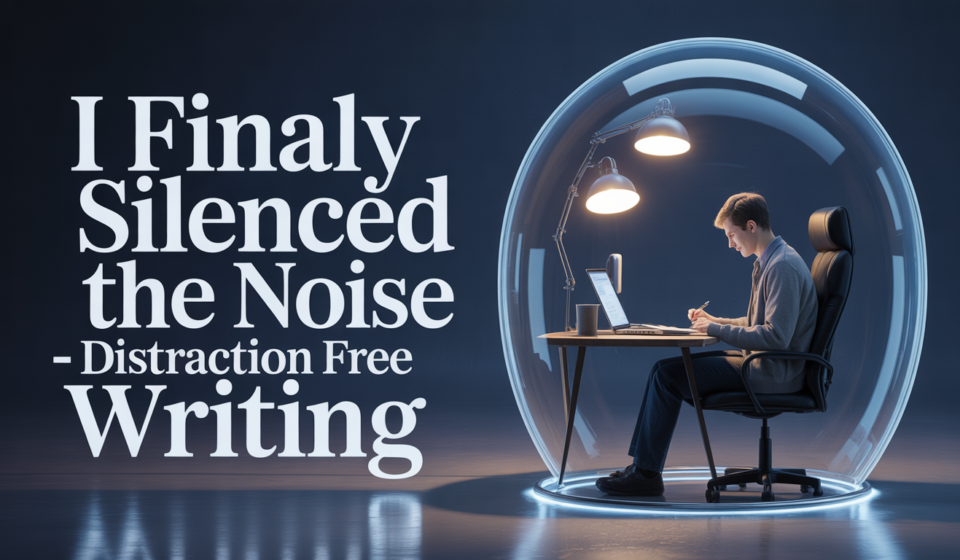

I remember the exact moment I realized I had a problem. I sat down at 9:00 AM to write Chapter 14, a pivotal scene where my protagonist finally confronts their past. By 10:30 AM, I had written exactly three sentences. What had I done instead? I had checked my email four times, researched the historical accuracy of a 14th-century button (which didn’t even appear in the scene), and somehow ended up watching a video on how to regrow celery in a jar. The “noise” wasn’t just in my room; it was in my pocket, on my taskbar, and in my own brain. That was the day I decided that if I ever wanted to finish this book-writing project, I had to stop managing my time and start managing my environment. I had to go “dark” to find the light in my story.
The Myth of Multitasking in Creative Work:
We live in a world that praises “hustle” and the ability to do five things at once. But for a writer, multitasking is a lie. Writing isn’t just putting words on a screen; it’s a form of deep visualization. Every time a notification pings or a tab flickers in your peripheral vision, your brain “switches” contexts. Research shows it can take up to 23 minutes to fully return to a state of deep work after a single interruption.
If you are interrupted three times an hour, you are never actually writing your book. You are just hovering in the shallow end of your imagination. I realized that the “noise” was keeping me from the “flow state”, that magical place where the characters start talking on their own and the clock seems to disappear. To get back there, I had to build a digital fortress.
Step 1: The Digital “Kill Switch”:
The internet is the greatest research tool in history, but it is also the greatest enemy of the first draft. I used to tell myself I needed “one quick search” for a character name, and forty minutes later, I’d be lost in a Wikipedia rabbit hole.
I started using a “Kill Switch” strategy for my writing sessions.
- Airplane Mode: The simplest tool. If I’m writing, my Wi-Fi is off. If the computer can’t “talk” to the world, the world can’t scream at me.
- Website Blockers: I use tools like Cold Turkey or Freedom. I set a timer for two hours, and those apps physically prevent me from opening social media or news sites. No matter how much I “crave” a distraction, the computer says no.
- Full-Screen Focus: I stopped writing in windows. I use “Focus Mode” in my software so that the only thing visible is the white page and the black text. No taskbar, no clock, no icons.
I remember the first hour I spent in “Full-Screen Focus.” It felt uncomfortable. My brain kept looking for a “back” button or a tab to click. But after twenty minutes, the discomfort faded, and the words started to pour out. It was like I had finally unblocked a dam.
Step 2: Minimalist Tools for Maximum Output:
Sometimes, the software we use for book writing is too “loud.” Modern word processors have a thousand buttons for formatting, font sizes, and comments. When you are writing a first draft, you don’t need a formatting engine; you need a typewriter.
I shifted my workflow toward “Minimalist Text Editors.” These are apps like iA Writer or Byword that use Markdown. There are no menus. There are no “ribbons” at the top of the screen.
- The “E-Ink” Experiment: I even tried writing on an E-ink tablet (like a Remarkable or a Freewrite). Because these devices don’t have a traditional browser or apps, they are physically incapable of distracting you.
- The “Typewriter” Mindset: I trained myself not to use the “Backspace” key for anything other than a typo. If a sentence is bad, I leave it. The goal of a distraction-free session is volume, not perfection.
I found that when the interface was simple, my thoughts became clearer. I wasn’t worried about how the page looked; I was only worried about how the story felt. This is a core part of narrative consistency, staying in the moment until the scene is done.
Step 3: Engineering Your Physical “Aura”:
The noise isn’t just digital; it’s physical. The hum of the refrigerator, the neighbor’s leaf blower, or even the visual clutter on your desk can pull you out of your story. I learned that I had to treat my writing space like a laboratory.
- Noise-Canceling Headphones: This was my best investment. Even if I’m not listening to music, the “silence” they provide creates a psychological boundary.
- The “Brown Noise” Secret: While many people like white noise, I found it too “static.” Brown noise is deeper and sounds like a distant waterfall or a low rumble. It “masks” the high-pitched sounds of the house, allowing my brain to settle into a steady rhythm.
- Visual Triggers: I have a specific candle that I only light when I am writing. The scent (cedarwood) tells my brain, “The noise is over, and the story has begun.”
I used to try to write in busy coffee shops because I thought it made me look like a “real author.” I eventually realized that the “people watching” was just another form of procrastination. Now, I write in a corner facing a blank wall, and my word count has doubled.
[Table: High-Noise vs. Distraction-Free Writing]:
| Feature | The “Noisy” Setup | The Distraction-Free Setup |
| Connectivity | Always online; Slack/Email pings. | Airplane mode; strictly offline. |
| Interface | Multiple tabs, taskbars, and menus. | Full-screen “Focus Mode” only. |
| Hardware | Laptop with 100+ capabilities. | Minimalist tablet or “Typewriter” app. |
| Audio | TV in the background or the radio. | Brown noise or noise-canceling silence. |
| Editing | Edit-as-you-go (low volume). | “Forward-only” writing (high volume). |
| Outcome | 300 words/hour (Fractured). | 1,200+ words/hour (Flow). |
Step 4: Mastering the “Mental” Silence:
Even in a silent room with a dead phone, your brain can still be noisy. “What should I have for dinner?” “Did I pay that bill?” “That last paragraph was terrible.” This “Internal Noise” is the hardest to silence because you can’t turn it off with an app.
I use the “Parking Lot” Technique. I keep a physical notebook (paper and pen) next to my keyboard. Whenever a distracting thought pops into my head, like a chore I forgot to do, I quickly write it down in the “Parking Lot.”
- The Release: Once it’s on paper, my brain feels “permission” to let go of the thought. I know I won’t forget it, so I can go back to my characters.
- The 5-Minute “Buffer”: Before I start writing, I spend five minutes doing a “brain dump” of everything on my mind. I get the noise out of my system so the page stays clean.
- Embracing the “Boring”: Writing is hard work. Sometimes your brain creates noise because it’s bored or tired. Instead of reaching for a distraction, I’ve learned to sit with the boredom for two minutes. Usually, the next plot point is hiding just on the other side of that “boring” feeling.
I remember a session where I sat in silence for ten minutes, just staring at the wall. My internal noise was screaming at me to “just check TikTok for a second.” I didn’t. At minute eleven, the solution to a massive plot hole in Chapter 14 finally clicked. That never would have happened if I had “silenced” the boredom with a screen.
Conclusion:
Silencing the noise isn’t about being anti-technology; it’s about being pro-story. By creating a digital and physical environment that respects your work, you give your book the space it needs to grow. When the world goes quiet, your characters finally start to speak.
FAQs:
1. Is it better to write in total silence or with music?
It’s personal. However, research suggests that music without lyrics (instrumental, lo-fi, or classical) is better for language-heavy tasks like writing.
2. How long should a distraction-free session be?
The “sweet spot” is usually 60 to 90 minutes. Any longer and your brain starts to fatigue; any shorter and you might not reach a full flow state.
3. What if I need to research while I write?
Use “brackets.” If you don’t know a fact, write [CHECK MEDIEVAL BUTTONS HERE] and keep moving. Do all your research in a separate, dedicated “Research Hour.”
4. Can I write distraction-free on a phone?
It’s difficult because phones are designed to distract. If you must use a phone, use a Bluetooth keyboard and put the device in “Do Not Disturb” mode immediately.
5. Does “Dark Mode” help with focus?
For many writers, yes. It reduces eye strain and makes the screen feel less like a “work computer” and more like a creative canvas.
6. What should I do if my family/roommates are the noise? Communication is key. I use a “Writing Sign” on my door. When the sign is up, it means “Unless the house is on fire, please do not knock
